
Oral History Preservation
Transcribe interviews with the last native speakers of Manx to capture the living voice and linguistic nuances for future generations.
Prepare a transcript draft from Manx audio or video, then review the text alongside your recording.
An account is required. Choose your file in the app after signing up or signing in.
Continue to Speechyou to upload your Manx audio or video.
or drop a file here
MP3, WAV, M4A, MP4 and more
Continue to signup. Your file stays on your device; choose it again in the app after creating your account.
No file is uploaded on this page.
Work with your recording after transcription: review the text, find the passage you need and prepare it for the next step.
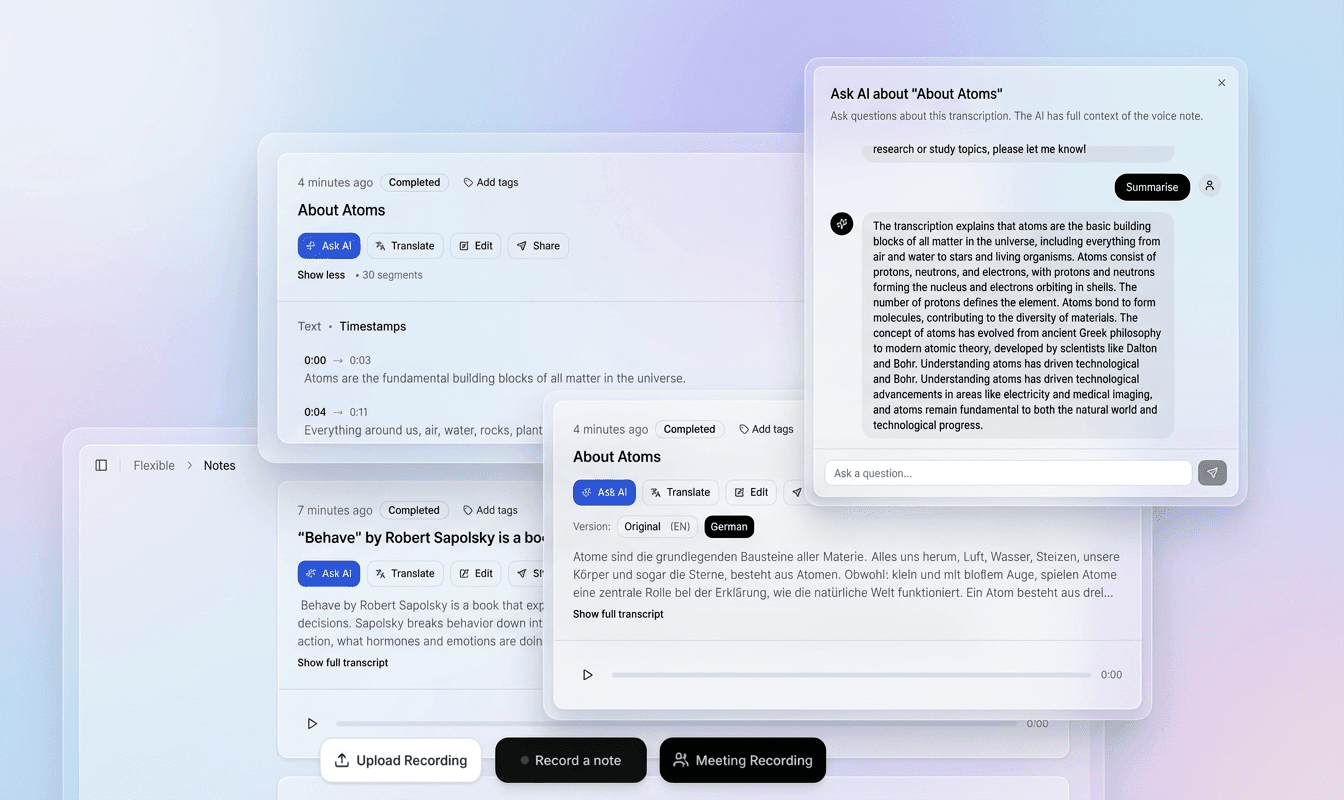
Use the recording and timestamped text together to check names, unfamiliar words and speaker changes in context.
Correct the transcript in the editor, refine segments and prepare a version that fits your document or video.
Export plain text, structured data or subtitle files. Use the transcript for notes, research, captions and follow-up work.
Choose a file above to continue to signup. Your recording stays on your device at this step.
In the app, choose your file again, select its spoken language and model, then start transcription.
Check the draft against your recording, correct the text and timing, then export the format you need.
Regional speech and spelling conventions matter. Identify the variety in your recording and check an excerpt before committing a larger project.
Prepare a Manx Gaelic draft with the recording available for checking local names, apostrophes and the speaker’s phrasing. For Manx recordings, keep the variety and writing convention in your project notes.
Results depend on the recording, selected model and language variety. Review names, specialist terms and unclear passages before sharing or publishing.
Check apostrophes and word boundaries against the audio and the spelling used by your project.
Review personal and place names with the speaker where possible; do not infer an English equivalent.
Review accents and language-specific letters. Check that similar-looking Cyrillic characters have not entered Latin words when editing or copying text.
What to listen for when reviewing the first draft.
Manx has very few hours of transcribed audio compared to major languages. Regional Manx pronunciation and vocabulary need review in their own context. When working with Northern Manx, Southern Manx, Revived Manx, keep the speaker’s wording and check unfamiliar forms with a fluent reviewer.
Manx grammar relies heavily on lenition and eclipsis (e.g., 'ç' vs. 'c', 'gh' vs. 'g') which alter word-initial sounds. Listen to a representative section before processing a long Manx recording. Background voices, music and distortion can obscure words; keep uncertain passages marked for review and compare them with the original audio.
Manx uses a unique Latin-orthography system with characters like 'ç', 'lh', 'ny', and digraphs that are rare in other languages. Check apostrophes and word boundaries against the audio and the spelling used by your project. Review personal and place names with the speaker where possible; do not infer an English equivalent.
Modern speakers may pronounce words differently from historical recordings. Listen to a representative section before processing a long Manx recording. Background voices, music and distortion can obscure words; keep uncertain passages marked for review and compare them with the original audio.
Practical ways to turn a recording into material you can search, edit and reuse.
Transcribe interviews with the last native speakers of Manx to capture the living voice and linguistic nuances for future generations.
Generate subtitles for Manx-language podcasts on Manx Radio and community shows, making them accessible to a global audience.
Create transcripts of Manx lessons, classroom recordings, and language-immersion sessions to support learners and teachers.
Add accurate Manx subtitles to video content for television, YouTube, and online platforms, aiding both native speakers and learners.
Accurately transcribe field recordings and linguistic data for academic study of Manx grammar, phonology, and language revival.
Work from a saved Manx audio or video recording in the online app. Review the resulting transcript and export SRT or VTT captions for your video; this describes a recorded-file workflow.
Transcribe Manx language broadcasts from Manx Radio and other outlets for archival, analysis, and republishing purposes.
After transcription and review in the app, choose the output that fits your next step.
Manx (Gaelg) is the Celtic language of the Isle of Man, a British Crown dependency in the Irish Sea. Historically spoken by the entire population, its use declined sharply after English became dominant. The last traditional native speaker, Ned Maddrell, died in 1974. But thanks to a dedicated revival movement—including immersion schools, radio programmes, and community initiatives—Manx is now spoken, with many more learners around the world. The demand for accurate Manx speech to text tools is growing as the language re-enters domains such as education, broadcasting, and digital media.
Transcribing Manx audio serves multiple crucial purposes:
Without reliable Manx transcription, these efforts are slowed. Check Manx spelling against the recording and the writing convention used by your project. Review names, diacritics and unfamiliar word forms before exporting; a page’s script label does not replace checking the actual written output.
Manx presents several hurdles for automatic speech recognition:
ç, lh, and ny are not present in most language models.Check apostrophes and word boundaries against the audio and the spelling used by your project. Review personal and place names with the speaker where possible; do not infer an English equivalent.
Listen to a representative section before processing a long Manx recording. Background voices, music and distortion can obscure words; keep uncertain passages marked for review and compare them with the original audio.
Separate profiles for Traditional and Revived Manx.
1. Oral History Archives Historians can upload old reel-to-reel recordings from the 20th century and transcribe Manx audio word for word, capturing regional accents that are now extinct.
2. Manx Radio and Podcasts Broadcasters automatically generate Manx subtitles for daily news and cultural programmes, reaching both native speakers and learners.
3. School Transcripts Teachers provide students with transcripts of Manx lessons, enabling them to review vocabulary and pronunciation at their own pace.
4. Subtitling for Video Film makers and YouTubers add Manx subtitles to documentaries, interviews, and music videos, boosting discoverability.
5. Community Events reviewed captions for recorded material Manx-language conferences ensures inclusivity for all attendees.
Our platform:
To try Manx speech to text, simply:
Start preserving and promoting the Manx language today.
Practical details before you start.
Check Manx spelling against the recording and the writing convention used by your project. Review names, diacritics and unfamiliar word forms before exporting; a page’s script label does not replace checking the actual written output. Check apostrophes and word boundaries against the audio and the spelling used by your project.
Listen to a representative section before processing a long Manx recording. Background voices, music and distortion can obscure words; keep uncertain passages marked for review and compare them with the original audio. Users can switch between them in the app to match their audio source for maximum accuracy.
For mixed-language Manx recordings, mark each language change during review and check borrowed words and names against the audio. Correct any passage that has been normalized into the wrong language. Select the main recording language in the app and check the other-language passages separately.
Check Manx spelling against the recording and the writing convention used by your project. Review names, diacritics and unfamiliar word forms before exporting; a page’s script label does not replace checking the actual written output. Check apostrophes and word boundaries against the audio and the spelling used by your project.
This page describes the online recorded-file workflow: sign in, upload your Manx recording, select its language, review the draft and export text or subtitle files.
Review the published privacy policy and your organisation’s requirements before uploading sensitive recordings. Obtain appropriate permission from the speakers and keep control of the original files and the reviewed transcript.
Both page names refer here to Manx Gaelic. Use the page that fits your recording and review the output rather than assuming different recognition quality from the names alone.
Review the latin script text and check that it matches your project’s writing convention. Any transliteration or translation should be an explicit editing task; the page name alone is not a guarantee of automatic conversion.
No. Choosing or dropping a file takes you to signup. The landing page does not upload, store or transcribe it. After creating your account, select the file again in the app and choose the spoken language and model.
The app accepts MP3, WAV, AAC, OGG, FLAC and M4A audio, plus MP4, WEBM, MOV, M4V and MPEG/MPG video. The free trial and Solo support files up to 10 GB each. You can extract or trim a short section first to evaluate the result.
In the app, review and edit the transcript before exporting. Use TXT for plain text, SRT for video editors and YouTube, VTT for web captions, or JSON for structured data. Check subtitle timing and line breaks against the original video before publishing.
Create an account to transcribe in the app. Solo includes uploads up to 10 GB per file and $15/month or $67/year billing.
Full access with monthly billing.
Choose the language and writing system that match your recording.
Create your account, upload your file in the app and turn your audio into a transcript you can review.