
Transcribe oral history interviews
Galicia has a rich oral tradition. Researchers can automatically transcribe interviews with native speakers, preserving local stories and linguistic variants.
Prepare a transcript draft from Galician audio or video, then review the text alongside your recording.
An account is required. Choose your file in the app after signing up or signing in.
Continue to Speechyou to upload your Galician audio or video.
or drop a file here
MP3, WAV, M4A, MP4 and more
Continue to signup. Your file stays on your device; choose it again in the app after creating your account.
No file is uploaded on this page.
Work with your recording after transcription: review the text, find the passage you need and prepare it for the next step.
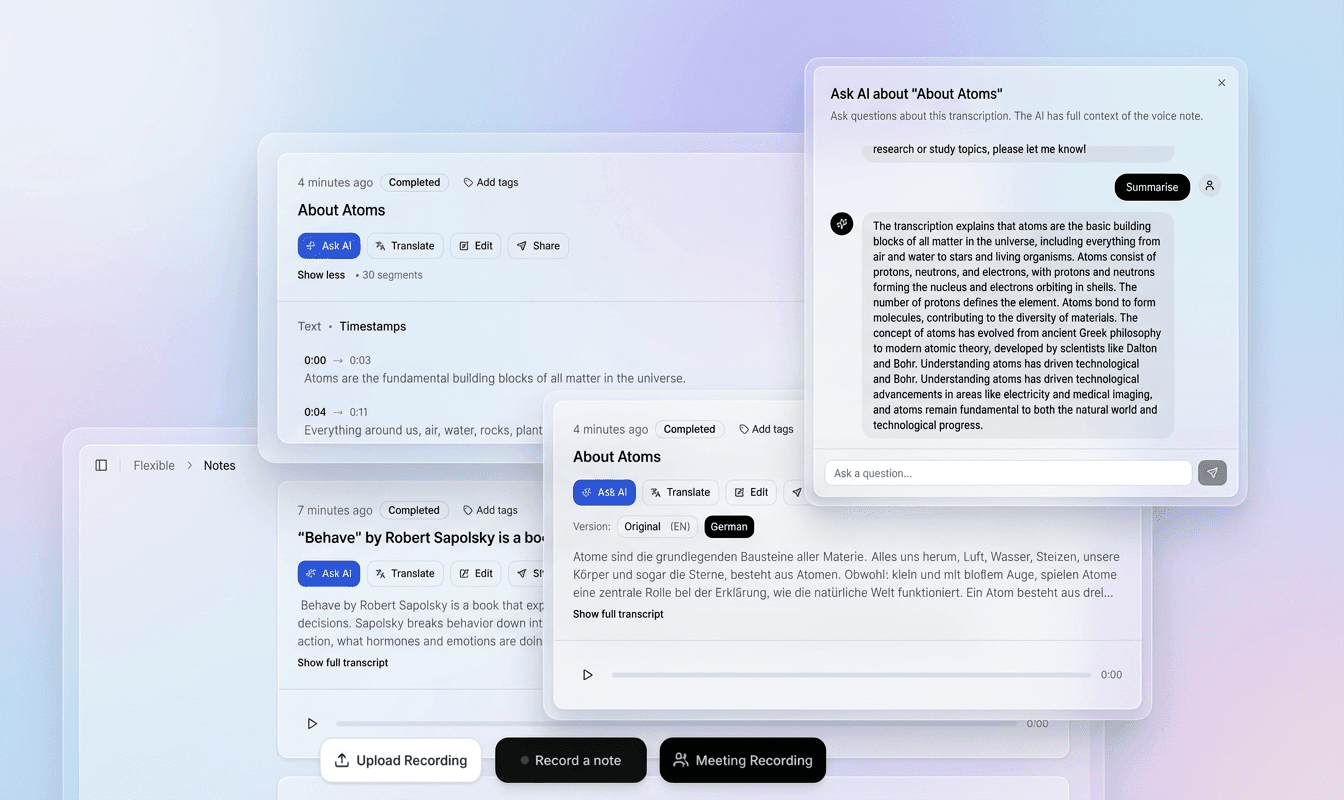
Use the recording and timestamped text together to check names, unfamiliar words and speaker changes in context.
Correct the transcript in the editor, refine segments and prepare a version that fits your document or video.
Export plain text, structured data or subtitle files. Use the transcript for notes, research, captions and follow-up work.
Choose a file above to continue to signup. Your recording stays on your device at this step.
In the app, choose your file again, select its spoken language and model, then start transcription.
Check the draft against your recording, correct the text and timing, then export the format you need.
Regional speech and spelling conventions matter. Identify the variety in your recording and check an excerpt before committing a larger project.
Prepare Galician recordings for review while preserving Galician vocabulary and checking any Spanish passages separately.
Results depend on the recording, selected model and language variety. Review names, specialist terms and unclear passages before sharing or publishing.
Check words that could be replaced by similar Spanish forms, especially in names and quoted speech.
Listen to regional pronunciation in context and apply the project’s Galician spelling choices consistently.
Review accents and language-specific letters. Check that similar-looking Cyrillic characters have not entered Latin words when editing or copying text.
What to listen for when reviewing the first draft.
Many Galician speakers pronounce /ɡ/ as a pharyngeal fricative [ħ] (gheada) and merge /θ/ with /s/ (seseo). Regional Galician pronunciation and vocabulary need review in their own context. When working with Galician oriental, Galician central, Galician occidental, keep the speaker’s wording and check unfamiliar forms with a fluent reviewer.
Galician has a rich system of verb conjugations, including personal infinitives and synthetic pluperfects. Check words that could be replaced by similar Spanish forms, especially in names and quoted speech. Listen to regional pronunciation in context and apply the project’s Galician spelling choices consistently.
Vocabulary can differ significantly between eastern and western dialects. Check Galician spelling against the recording and the writing convention used by your project. Review names, diacritics and unfamiliar word forms before exporting; a page’s script label does not replace checking the actual written output.
Practical ways to turn a recording into material you can search, edit and reuse.
Galicia has a rich oral tradition. Researchers can automatically transcribe interviews with native speakers, preserving local stories and linguistic variants.
Producers and content creators can add accurate Galician subtitles to videos, making content accessible to deaf and hard-of-hearing viewers and expanding reach.
Students and faculty at universities like the Universidade de Santiago de Compostela can convert Galician lectures into text for study and reference.
Podcasters can provide written versions of their episodes, improving SEO and accessibility for the Galician-speaking audience.
Regional Galician pronunciation and vocabulary need review in their own context. When working with Galician oriental, Galician central, Galician occidental, keep the speaker’s wording and check unfamiliar forms with a fluent reviewer.
Municipalities in Galicia can generate official transcripts of council sessions held in Galician, ensuring transparency and record-keeping.
After transcription and review in the app, choose the output that fits your next step.
Galician, or galego, is a Romance language with deep roots in the northwest of Spain. In recent years, digital tools have become essential for the survival and growth of minority languages. Accurate speech-to-text for Galician enables speakers to create content, preserve oral traditions, and access technology in their own language.
It is also spoken in neighboring areas of Asturias, León, and Zamora, and by emigrant communities in Argentina, Uruguay, and other parts of the world. The language has several dialects, broadly divided into western, central, and eastern varieties, each with its own phonetic and lexical traits.
For Galician speakers, having a reliable speech-to-text tool means they can work, learn, and create in their native language without switching to Spanish. It is crucial for:
Galician presents several challenges for automatic speech recognition:
Regional Galician pronunciation and vocabulary need review in their own context. When working with Galician oriental, Galician central, Galician occidental, keep the speaker’s wording and check unfamiliar forms with a fluent reviewer.
From podcasters to public institutions, many benefit from Galician transcription:
Speechyou offers a solution for Galician speech-to-text. Users can upload audio or video files and receive draft transcripts for review after processing. Check Galician spelling against the recording and the writing convention used by your project. Review names, diacritics and unfamiliar word forms before exporting; a page’s script label does not replace checking the actual written output. Subtitles can be exported in SRT or VTT format, ready for use on YouTube, Vimeo, or other platforms. With support for over 1,700+ languages, Speechyou is a versatile tool for multilingual projects.
Galician is a language with a rich history and a bright digital future. By using Speechyou for speech-to-text, transcription, and subtitle generation, speakers and creators can ensure that Galician remains a living, thriving language in the modern world. Whether you are a student, a journalist, or a cultural activist, accurate AI transcription empowers you to work in your own language.
Practical details before you start.
Regional Galician pronunciation and vocabulary need review in their own context. When working with Galician oriental, Galician central, Galician occidental, keep the speaker’s wording and check unfamiliar forms with a fluent reviewer.
After uploading and reviewing your Galician recording in the app, export SRT or VTT subtitles. Preview the file with your video and check names, line breaks and timing before publishing. TXT and JSON are also available for transcript workflows.
Regional Galician pronunciation and vocabulary need review in their own context. When working with Galician oriental, Galician central, Galician occidental, keep the speaker’s wording and check unfamiliar forms with a fluent reviewer. Start with a short representative sample before processing an archive, and do not assume identical recognition quality across varieties.
Galician and Portuguese are closely related but have distinct phonology and vocabulary. For mixed-language Galician recordings, mark each language change during review and check borrowed words and names against the audio. Correct any passage that has been normalized into the wrong language.
This page describes the online recorded-file workflow: sign in, upload your Galician recording, select its language, review the draft and export text or subtitle files.
Decide the project’s transcription convention first. Preserve the meaning and wording, and only add phonetic detail when the intended readers need it.
Review the latin script text and check that it matches your project’s writing convention. Any transliteration or translation should be an explicit editing task; the page name alone is not a guarantee of automatic conversion.
No. Choosing or dropping a file takes you to signup. The landing page does not upload, store or transcribe it. After creating your account, select the file again in the app and choose the spoken language and model.
The app accepts MP3, WAV, AAC, OGG, FLAC and M4A audio, plus MP4, WEBM, MOV, M4V and MPEG/MPG video. The free trial and Solo support files up to 10 GB each. You can extract or trim a short section first to evaluate the result.
In the app, review and edit the transcript before exporting. Use TXT for plain text, SRT for video editors and YouTube, VTT for web captions, or JSON for structured data. Check subtitle timing and line breaks against the original video before publishing.
Create an account to transcribe in the app. Solo includes uploads up to 10 GB per file and $15/month or $67/year billing.
Full access with monthly billing.
Choose the language and writing system that match your recording.
Create your account, upload your file in the app and turn your audio into a transcript you can review.