
Family and oral histories
Preserve memories with audio, corrected text and contextual notes.
Prepare a transcript draft from Bats (Georgian script) audio or video, then review the text alongside your recording.
An account is required. Choose your file in the app after signing up or signing in.
Continue to Speechyou to upload your Bats audio or video.
or drop a file here
MP3, WAV, M4A, MP4 and more
Continue to signup. Your file stays on your device; choose it again in the app after creating your account.
No file is uploaded on this page.
Work with your recording after transcription: review the text, find the passage you need and prepare it for the next step.
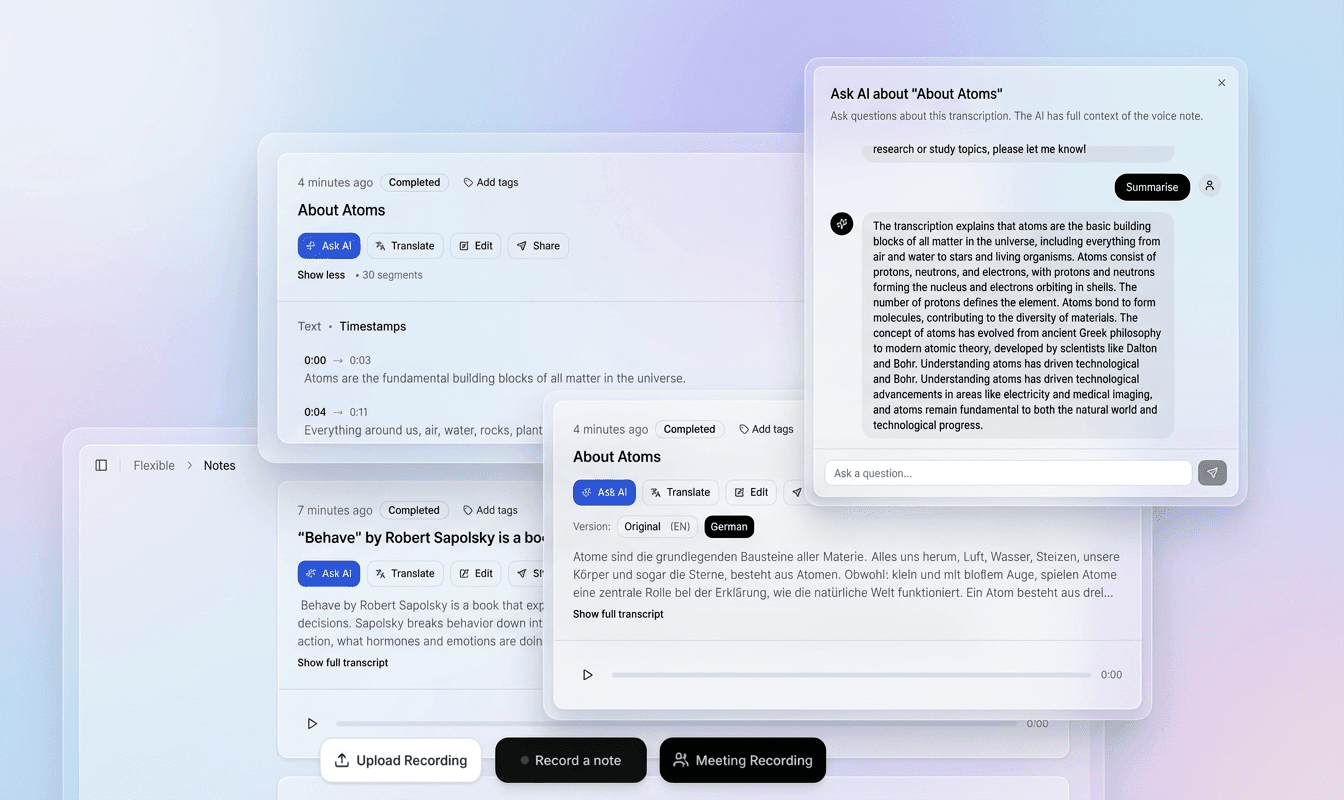
Use the recording and timestamped text together to check names, unfamiliar words and speaker changes in context.
Correct the transcript in the editor, refine segments and prepare a version that fits your document or video.
Export plain text, structured data or subtitle files. Use the transcript for notes, research, captions and follow-up work.
Choose a file above to continue to signup. Your recording stays on your device at this step.
In the app, choose your file again, select its spoken language and model, then start transcription.
Check the draft against your recording, correct the text and timing, then export the format you need.
Regional speech and spelling conventions matter. Identify the variety in your recording and check an excerpt before committing a larger project.
Prepare Bats or Batsbi recordings with the speaker’s language identity clear and the intended Georgian-script spelling reviewed.
Results depend on the recording, selected model and language variety. Review names, specialist terms and unclear passages before sharing or publishing.
Label the recording as Bats or Batsbi where appropriate; this language name should not be confused with the English animal name.
Check Georgian-script forms and names using the references agreed for the project.
Review names and word boundaries against the audio. Keep spelling consistent and check passages that contain another writing system.
What to listen for when reviewing the first draft.
A Georgian-script transcript of Bats should not be mistaken for Georgian-language text.
Location, speaker age and speaking style are different kinds of recording information.
Replay quiet speech, overlapping voices and unfamiliar names against the source recording. Retain uncertainty notes where needed, and check the exported text or captions before publication.
Practical ways to turn a recording into material you can search, edit and reuse.
Preserve memories with audio, corrected text and contextual notes.
Prepare reviewed text for recorded stories, interviews or performances.
Create working texts for teaching and documentation with specialist annotation kept separate.
After transcription and review in the app, choose the output that fits your next step.
Bats (ბაცბურ) is a Northeast Caucasian language spoken by the Batsbi people, primarily in the village of Zemo Alvani in eastern Georgia. The language is part of the Nakh branch, closely related to Chechen and Ingush, but it has developed distinct phonological and lexical features due to centuries of contact with Georgian. This page concerns Georgian-script writing for Bats; agree the project’s convention with its readers. Most speakers are bilingual in Georgian, and a recording may contain both languages.
For a community documentation project, a recording and its checked transcript preserve complementary information. Oral histories, traditional songs, and everyday conversations can be captured as text, creating a permanent archive for future generations. A transcript can support a searchable archive, while a separately reviewed translation can make the material available to readers of another language. Retain local wording and document the spelling convention used.
A Georgian-script transcript of Bats should not be mistaken for Georgian-language text. The spoken language and chosen writing system are different pieces of information. Agree how the project will represent local words and sounds, and keep those decisions consistent across recordings. Where a spelling is uncertain, preserve an audio reference and ask a reviewer rather than inventing a precise-looking form.
Practical details before you start.
No. Confirm that the source is Bats and establish its intended written convention. The language and script should be documented separately.
It needs review against the recording. Add the notation and annotation required by the research project, and record unresolved words rather than treating a readable draft as exact evidence.
Open the Speechyou account flow, sign in or create an account, and upload the recording there. This landing page describes the workflow; it does not process a file directly.
The confirmed choices described here are TXT, SRT, VTT and JSON. Review the downloaded file. Test SRT or VTT in the intended video player and check the caption wording, timing and line breaks.
Review it against the recording first, particularly names, numbers, local wording, script-specific characters and language changes. Keep unresolved passages identifiable rather than substituting a confident guess.
No. The spoken language and writing system are separate. Preserve the Bats language identity when reviewing the text.
Review the georgian script text and check that it matches your project’s writing convention. Any transliteration or translation should be an explicit editing task; the page name alone is not a guarantee of automatic conversion.
No. Choosing or dropping a file takes you to signup. The landing page does not upload, store or transcribe it. After creating your account, select the file again in the app and choose the spoken language and model.
The app accepts MP3, WAV, AAC, OGG, FLAC and M4A audio, plus MP4, WEBM, MOV, M4V and MPEG/MPG video. The free trial and Solo support files up to 10 GB each. You can extract or trim a short section first to evaluate the result.
In the app, review and edit the transcript before exporting. Use TXT for plain text, SRT for video editors and YouTube, VTT for web captions, or JSON for structured data. Check subtitle timing and line breaks against the original video before publishing.
Create an account to transcribe in the app. Solo includes uploads up to 10 GB per file and $15/month or $67/year billing.
Full access with monthly billing.
Choose the language and writing system that match your recording.
Create your account, upload your file in the app and turn your audio into a transcript you can review.