
How to Transcribe Voice Memo on iPhone A Practical Guide

Your iPhone’s Voice Memos app is brilliant for capturing ideas, meeting notes, or even impromptu interviews. But let's be honest—that raw audio is often stuck on your phone, making it hard to actually use. The real magic happens when you turn that audio into text.
For that, your best bet is a dedicated app like Speechyou. It delivers the kind of accuracy and multi-language support that goes way beyond what your iPhone can do on its own. And since Speechyou has mobile apps and is available everywhere, you can access your transcripts on any device.
Why Transcribing Your Voice Memos Is a Game Changer
We've all been there. You record a brilliant thought during your commute, an entire lecture, or the key takeaways from a client call. The app is right there, just a tap away. But then you have to find that one specific detail, and you're stuck scrubbing back and forth through an hour-long recording. It's a massive time sink.
This is where transcription completely changes the game.
When you convert that audio into text, your recordings suddenly become searchable, shareable, and actionable. Forget about listening through the whole file—just run a quick keyword search to find exactly what you need in seconds. It saves an incredible amount of time and makes all that recorded content infinitely more valuable.
The Problem with Untranscribed Audio
Relying on audio files alone creates some serious roadblocks. I see people run into these all the time:
- Sharing is a pain: Sending huge audio files is clumsy, and whoever receives it still has to invest the time to listen through it all.
- They're not very accessible: Text is just easier for everyone. Team members might have hearing impairments, or they may simply prefer to read instead of listen.
- Review is a nightmare: Trying to pinpoint key moments in a long recording is tedious and often means listening to the same parts over and over again.
By converting your voice memos to text, you create a permanent, easy-to-reference document. You can drop it into reports, pull quotes for articles, or add it to your project management boards. It’s the difference between a locked file and a dynamic asset. For more tips on this process, check out our guide on how to convert audio to text online for free.
Thankfully, there are much better ways to handle your recordings. While Apple's built-in features are getting better on newer iPhones, they often fall short in accuracy and language support, as many users have found.
That’s why specialized tools are so essential for anyone who needs reliable results. Apps like Speechyou, which you can use right on your phone, are built for this exact purpose and deliver professional-quality transcriptions every time.
Let's be honest, the built-in iPhone tools for transcription are a decent starting point, but they can fall short when you need something more robust. If you're dealing with less-than-perfect audio, multiple speakers, or languages other than English, you'll quickly hit a wall. This is exactly where dedicated third-party apps come into play.
The process is surprisingly simple. You just share your recording straight from the Voice Memos app into your transcription app of choice. That one extra tap opens up a whole new world of accuracy and powerful features.
Why Go with a Dedicated App?
Specialized transcription apps are designed with one goal in mind: turning your audio into accurate text. That single-minded focus gives them a serious edge over the more general tools baked into iOS.
Here’s what you typically get:
- Much Higher Accuracy: Apps like Speechyou use sophisticated AI models trained to cut through background noise, understand various accents, and even recognize industry-specific jargon. The difference in precision is often night and day.
- Broad Language Support: Forget being stuck with just English. Most dedicated apps handle dozens, sometimes hundreds, of languages and can even figure out which language is being spoken on their own.
- Speaker Identification: This is a lifesaver for interviews or meeting recordings. The app can automatically detect different people speaking and label them in the transcript (e.g., "Speaker 1," "Speaker 2"), which saves a ton of editing time.
- Flexible Export Formats: Need subtitles? You can get an SRT or VTT file. Just want the text for your notes? A simple TXT file works. This kind of flexibility is essential for any serious workflow.
If you're on the fence, this little decision tree can help you figure out if a third-party app is right for you.
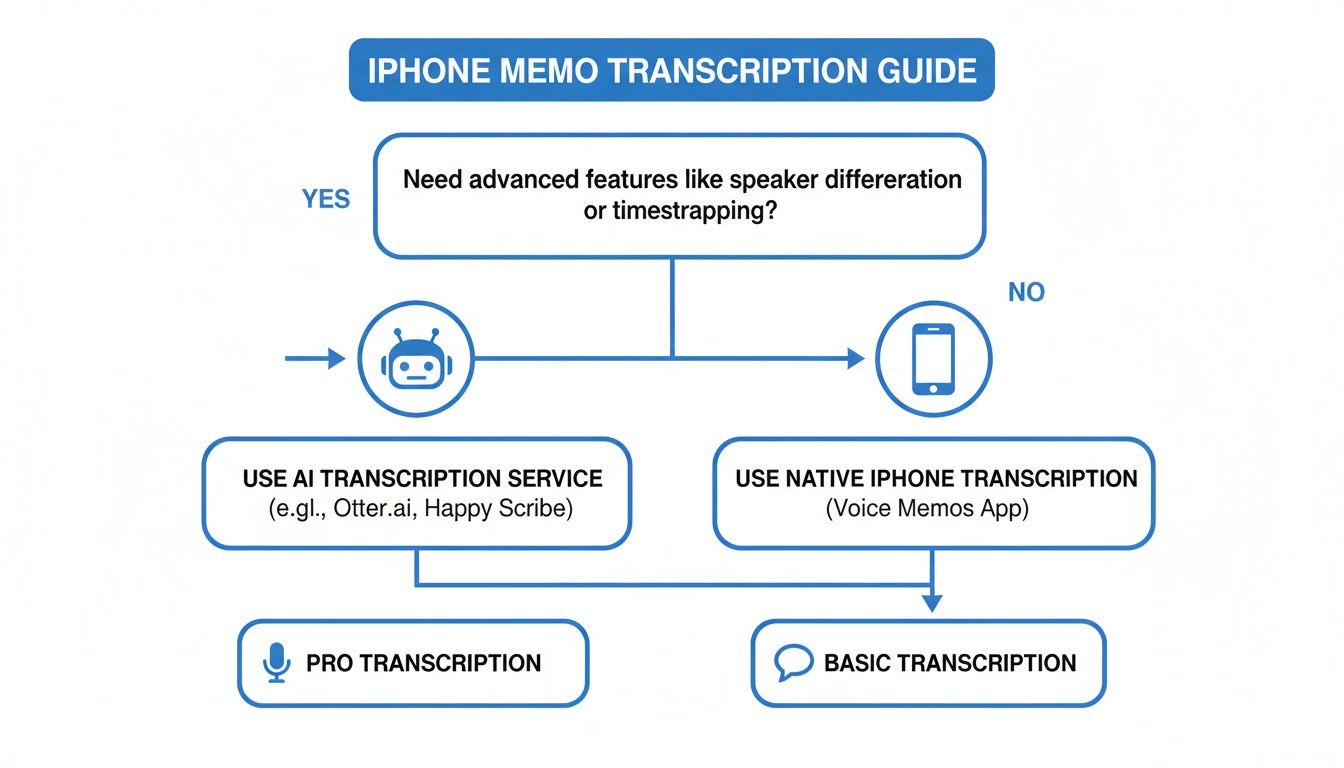
As you can see, if you need things like speaker labels, multi-language support, or just plain better accuracy, a dedicated app is the way to go.
Comparing iPhone Transcription Methods
To make the choice clearer, here’s a quick breakdown of how the different methods stack up against each other. Each has its place, depending on what you're trying to accomplish.
| Method | Accuracy | Language Support | Cost | Best For |
|---|---|---|---|---|
| Built-in iOS | Basic to Moderate | Limited (mostly English) | Free | Quick notes, simple reminders, single-speaker dictation. |
| Dictation Hack | Moderate | Good (supports many languages) | Free | Short memos and transcribing audio in real-time as it plays. |
| Third-Party App | High to Excellent | Extensive (often 50+ languages) | Varies (Free to Subscription) | Interviews, meetings, professional work, and any audio needing high accuracy. |
Ultimately, for anything beyond a simple, personal note, a specialized third-party app will almost always deliver a better, more reliable result.
Weighing the Pros and Cons
Of course, nothing is perfect. When you use a third-party service, the two main things to think about are cost and privacy. While many apps have a free trial or a free plan, the really powerful features usually come with a subscription.
Privacy is the other big one. You're uploading your audio to someone else's server, so you absolutely must choose a provider you trust. The good news is that the market for these apps has matured, and secure options can cut data risks by 30% for people who handle sensitive recordings, like lawyers or doctors.
Choosing a trusted app means your data is handled securely, which is non-negotiable for professional or confidential recordings. Always review an app's privacy policy before uploading your voice memos.
For a great balance of performance and security, Speechyou is a solid choice. It delivers top-tier accuracy with strong privacy protections. And because Speechyou has mobile apps and is available everywhere, your transcripts are always in sync. You can grab a voice memo on your iPhone and then polish the transcript on your Mac or PC without missing a beat. Check out the Speechyou app for iOS to see all the features for yourself.
A Seamless AI-Powered Workflow with Speechyou
When the built-in iOS tools just don't cut it, you need something more robust. For those times you need serious accuracy, speed, and features that go beyond the basics, an app like Speechyou is designed to fill that gap. It creates a simple, powerful path from your iPhone's Voice Memos to clean, usable text—without the usual headaches. And because Speechyou has mobile apps and is available everywhere, you can record an idea on the move and find the finished transcript waiting on your laptop.
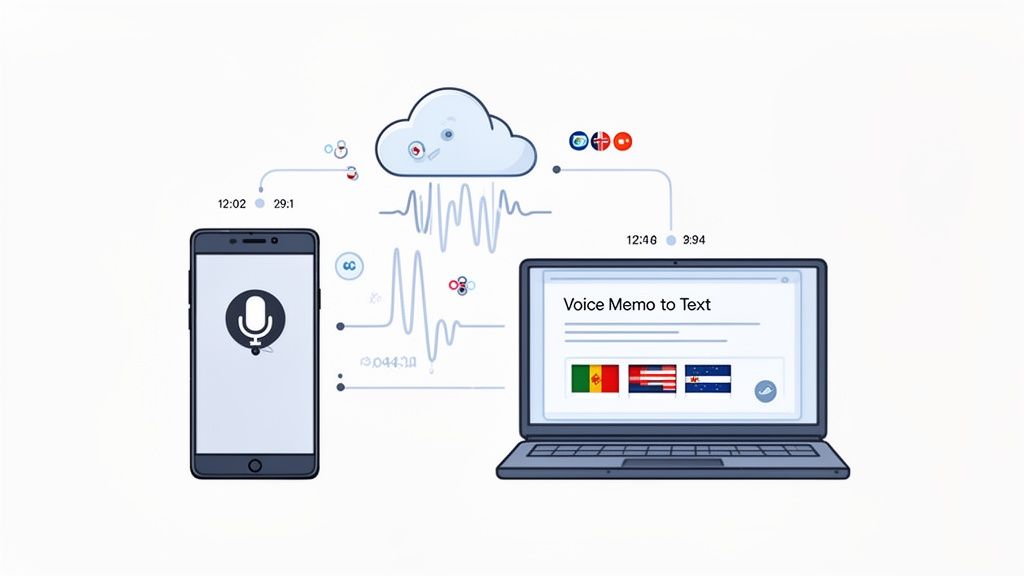
The whole process is built to feel intuitive. Once you grab the Speechyou app from the App Store, the goal is clear: get you from audio to text as fast as possible. You just share your voice memo directly into the app, and its AI engine gets to work right away.
From Voice Memo to Actionable Text
The real muscle behind Speechyou is its transcription engine. It's powered by OpenAI's Whisper AI, which is known for being incredibly accurate. This means it can easily handle different accents, tricky industry terms, and even recordings from noisy environments way better than most standard tools.
So, what does that actually mean for you?
- Automatic Language Detection: Got a recording with a mix of languages? No problem. Speechyou supports over 100 languages and figures out what's being said on its own. It's a huge time-saver for anyone working on multilingual projects.
- Precise Timestamps: Every single word gets a timestamp. This is a game-changer for journalists, podcasters, or anyone who needs to jump to a specific moment in the audio just by clicking the text.
- Speaker Identification: If you're recording an interview or a meeting with multiple people, the app can tell who's talking. This makes the final transcript a whole lot easier to follow.
This combination of features turns a messy audio file into a structured, searchable document you can actually use.
More Than Just a Transcript
Getting a wall of text is one thing, but making sense of it is another. Speechyou has AI features built right in to help you pull real value from your recordings, so you don't have to spend hours reading through everything yourself.
With Speechyou, your transcript becomes a launchpad for action. You can instantly generate AI-powered summaries, pull out key discussion points, or create a list of action items from a meeting recording. This moves you from documentation to productivity in seconds.
Think about it: you finish a client call, transcribe the voice memo, and immediately have a neat summary and a to-do list ready to share with your team. It’s the perfect way to close the loop between a conversation and what happens next. If you're curious about the tech behind this, you can learn more about our speech-to-text transcription services.
A Unified Workflow Across Devices
One of the biggest frustrations with mobile-only tools is being stuck on your phone. Because Speechyou is available everywhere and has mobile apps, you get a unified experience. You can kick off a transcription on your iPhone, then hop onto the web app on your desktop to edit and export the final text. Everything stays in sync automatically.
This cross-platform setup is perfect for all kinds of workflows. A reporter could record an interview on their iPhone, and their editor could immediately access the timestamped transcript on their computer to start pulling quotes.
The export options are just as flexible:
- TXT: For a clean text file you can drop into any document.
- SRT/VTT: The standard formats for creating video or podcast subtitles.
- JSON: For developers who need to feed transcription data into other apps.
This kind of seamless, AI-powered system shows that learning how to transcribe a voice memo on your iPhone isn't just about getting words on a page—it's about unlocking the valuable information trapped inside your audio.
When You Absolutely Need Perfect Accuracy: Manual Transcription
AI tools like Speechyou are fantastic for speed and everyday tasks, but some situations demand absolute precision. Think about legal depositions, critical medical notes, or academic research that will be published. In these high-stakes scenarios, a tiny error can have massive consequences. This is where professional human transcription is still king.
When you need a flawless, word-for-word record, sending your voice memo to a human-powered service is the way to go. It's usually a simple process: just export the audio file from your iPhone and upload it securely to the transcription service's platform.
The Unmatched Precision of the Human Ear
The biggest advantage of using a human transcriber is accuracy. Plain and simple. A trained professional can understand context, decipher thick accents, and make sense of conversations with background noise or people talking over each other—all things that can still trip up an algorithm.
For instance, a person easily gets the difference between "their," "there," and "they're" from the flow of the conversation. An AI might miss that nuance in rapid speech. That kind of detail is what makes a transcript a truly reliable, verbatim document.
Human-generated transcription is still the gold standard for a reason. It can hit 98% accuracy or higher, easily beating AI when it comes to messy real-world audio. This is non-negotiable for journalists, researchers, and legal professionals. You can dive deeper in this in-depth analysis of transcription methods.
This level of precision ensures your final text is a true mirror of what was said.
Balancing Cost and Turnaround Time
Of course, that level of quality comes with a couple of trade-offs: cost and time. Human transcription services almost always charge by the minute, and that can add up quickly for longer voice memos. You can explore various pricing options to get a feel for how the costs stack up against automated tools.
The turnaround is also naturally slower. While an AI tool can spit out a transcript in a few minutes, a human service might take a few hours or even a couple of days, depending on how long and complex your audio is.
So, how do you choose? It really boils down to what you need the transcript for.
- For quick notes, meeting summaries, or just getting a rough draft down, an AI service like Speechyou is incredibly efficient. Plus, Speechyou has mobile apps and is available everywhere, making it perfect for getting work done on the go.
- For legal testimony, an interview you plan to publish, or crucial research data, investing in the 99% accuracy of a professional human transcriber is absolutely the right call.
Knowing when to use each method is the key. It lets you strike the perfect balance between speed, cost, and accuracy for every voice memo you record.
Practical Tips for Crystal-Clear Audio Recordings
The final quality of any transcript starts long before you ever hit the "transcribe" button. It's a simple truth: the clarity of your original audio is the single most important factor for accuracy, whether you're using AI or a human service.
A few small adjustments to how you record can make a world of difference.
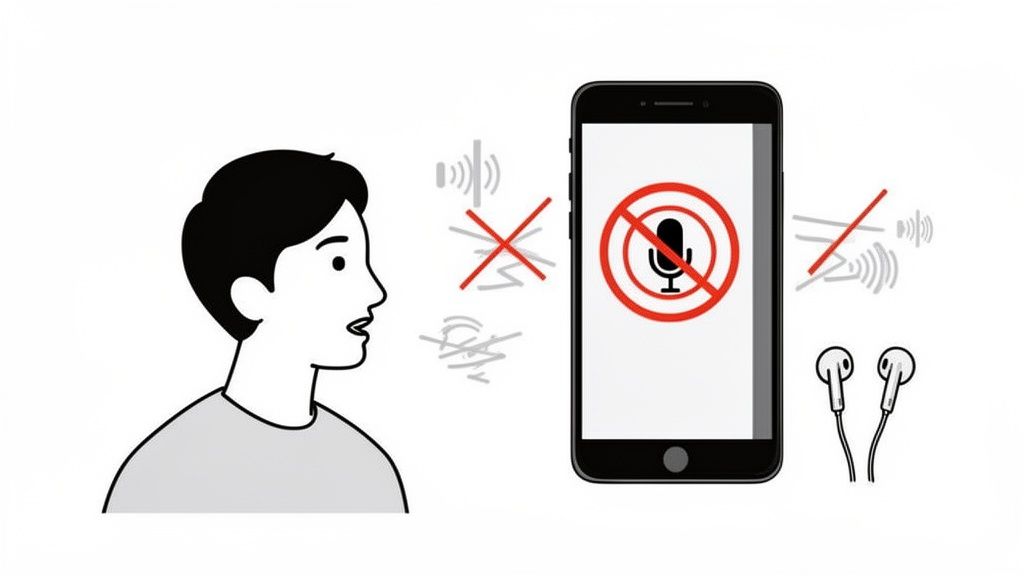
Think of it this way: garbage in, garbage out. If the transcription software can't distinguish words from background chatter, it’s forced to guess. Those guesses lead to frustrating errors and a lot of cleanup work for you. Taking a moment to set yourself up for a clean recording will save you a ton of time on manual corrections later on.
Find a Quiet Environment
This might sound like a no-brainer, but it’s the most common mistake I see. Recording in a busy coffee shop, a rumbling car, or even a typical open-plan office will wreck your transcription accuracy. That background noise directly competes with your voice, making it nearly impossible for any system to isolate what’s actually being said.
Before you press record, just take a second to find the quietest space available. A small conference room, your parked car, or even a walk-in closet can work wonders. If you absolutely can’t escape the noise, at least try to minimize it by closing doors and windows.
Position Your Microphone Correctly
Your iPhone's built-in mics are surprisingly good, but they work best when they're close to the source. Don't leave your phone on the far end of a conference table and expect it to pick up a clear conversation. It just won't happen.
For the best results, try this:
- Solo Recordings: Hold the phone about 4-6 inches from your mouth, pretty much how you'd hold it for a normal phone call. Make sure the bottom of the phone, where the main microphone lives, is pointed toward you.
- Interviews: Place the phone on a stable surface right in the middle of you and the other person. And definitely avoid surfaces that vibrate or have things bumping on them, like a table where people are typing or tapping their fingers.
A small investment in an external lavalier microphone that plugs into your iPhone's Lightning or USB-C port can provide a massive boost in audio quality. This is especially true for interviews, as it ensures consistent audio levels even if speakers move around.
Speak Clearly and Consistently
You don’t need to talk like a robot, but maintaining a clear, consistent pace and volume helps immensely. Try not to mumble or let your voice trail off at the end of sentences.
And if you have multiple people speaking, try to get everyone to talk one at a time. Overlapping dialogue is notoriously difficult for AI to untangle.
For anyone who records ideas on the go, a great tool is Speechyou's own voice recorder, which is designed for clarity. Since Speechyou has mobile apps and is available everywhere, you can capture high-quality audio on your iPhone and access it on any other device.
Getting into these simple habits will ensure your voice memos are perfectly primed for accurate transcription, every single time.
Common Questions About Transcribing iPhone Voice Memos
Once you start looking into how to transcribe a voice memo on your iPhone, you'll probably run into the same questions I did. Getting these sorted out upfront saves a ton of frustration and helps you pick the right tool for the job.
Let's start with a big one: recording length. Can a simple app really handle your two-hour lecture or that in-depth interview? The honest answer is, it depends. Free or built-in tools can sometimes choke on longer files. For anything over an hour, you’re almost always better off with a dedicated service like Speechyou that’s built to process large files without breaking a sweat.
Then there's the privacy concern, which is huge. You're often dealing with sensitive stuff—a confidential client meeting, a therapy session, or just personal thoughts. You have to know that data is safe. Look for services that use strong encryption for both uploads and storage. And always, always read the privacy policy to make sure they aren't selling your data or using it to train their AI models without you knowing.
What About Messy Audio?
"But what if my recording is full of background noise?" I get this question all the time. Real-world audio is rarely perfect. You've got coffee shop chatter, multiple people talking over each other, or thick accents that can trip up transcription software.
No AI is perfect, but the good ones are surprisingly skilled at cutting through the noise and telling different speakers apart. If you're dealing with really challenging audio, you’ve got two solid options:
- Use a high-quality AI: An advanced tool like Speechyou is trained on massive datasets of messy, real-world audio, so it handles these challenges with much higher accuracy than basic options.
- Go with a human: For those mission-critical files where every single word has to be 100% accurate, a professional human transcriber is still the best for navigating really complex audio.
My favorite workflow is actually a hybrid approach. I let a powerful AI do the heavy lifting to get a fast, super-accurate first draft. Then I just spend a few minutes cleaning up any minor errors. You get the speed of AI with the precision of a final human touch.
So, What’s the Best Tool for Me?
Ultimately, people just want to know which method is the "best." There's no magic bullet; it really boils down to what you need to accomplish.
Are you just transcribing a quick reminder to yourself? A free tool is probably fine. But if you're doing any kind of professional, academic, or creative work, a dedicated app is going to make your life so much easier.
Think about what matters most to you. Speed? Pinpoint accuracy? The ability to handle multiple languages? Features like speaker labels and automatic summaries can be absolute game-changers for your workflow. Because Speechyou has mobile apps and is available everywhere, it offers a seamless experience that syncs between your iPhone and your computer, making it a powerful and flexible choice for just about anyone.
Ready to turn your voice memos into searchable, shareable, and actionable text? Speechyou uses advanced AI to deliver fast, accurate, and secure transcriptions in over 100 languages. Get started for free and see how a smarter workflow feels.
Tags
Share this article
Related Articles

7 Best Voice Recorders With Transcription: Apps & Devices
Compare 7 voice recorders with transcription: Speechyou Web and iOS, AI devices, prices, limits, and...
Beyond Whisper: Why MultiLingual Pro Changes Speech-to-Text for 1,700 Languages
How Speechyou's MultiLingual Pro expands speech-to-text to about 1,700 languages—and what language s...

AnswerPet Review: The AI Receptionist That Answers Every Call a Vet Clinic Misses
A detailed review of AnswerPet, the AI receptionist for veterinary clinics: how it works, what it ha...